

- Practice
- Thoughtful
- Creative
- Real
- Excellent
- Inputs
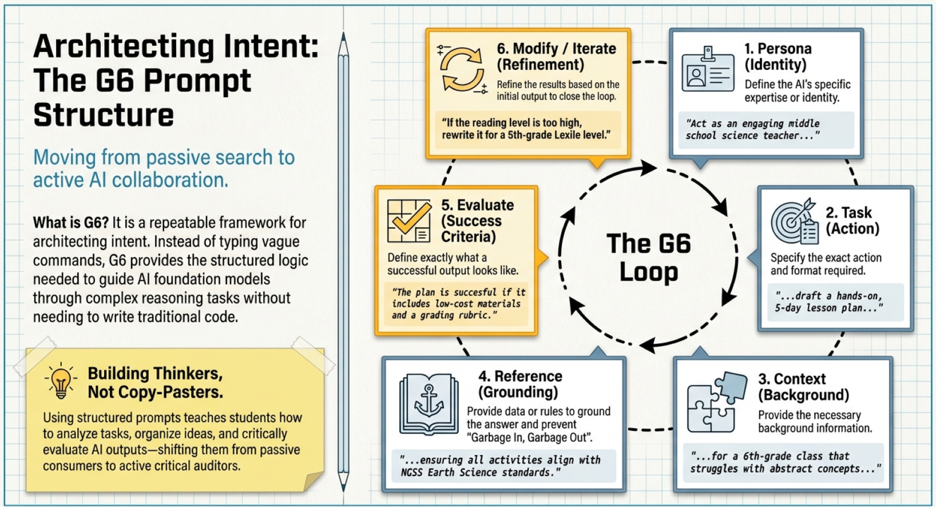
Prompt Engineering is the way in which we communicate with GenAI. In this new era of artificial intelligence, we must learn how to properly prompt GenAI to ensure we get the most accurate, relevant, and useful responses. By crafting clear, specific, and well-structured prompts, we guide AI to understand our intentions and provide the information or assistance we seek. The G6 Prompt structre allows us to tap into the full potential of GenAI, enabling us to solve problems, enhance creativity, and make informed decisions more efficiently. Whether we’re asking for explanations, generating ideas, or solving complex tasks, effective prompt engineering empowers us to interact with AI in a way that aligns with our goals.
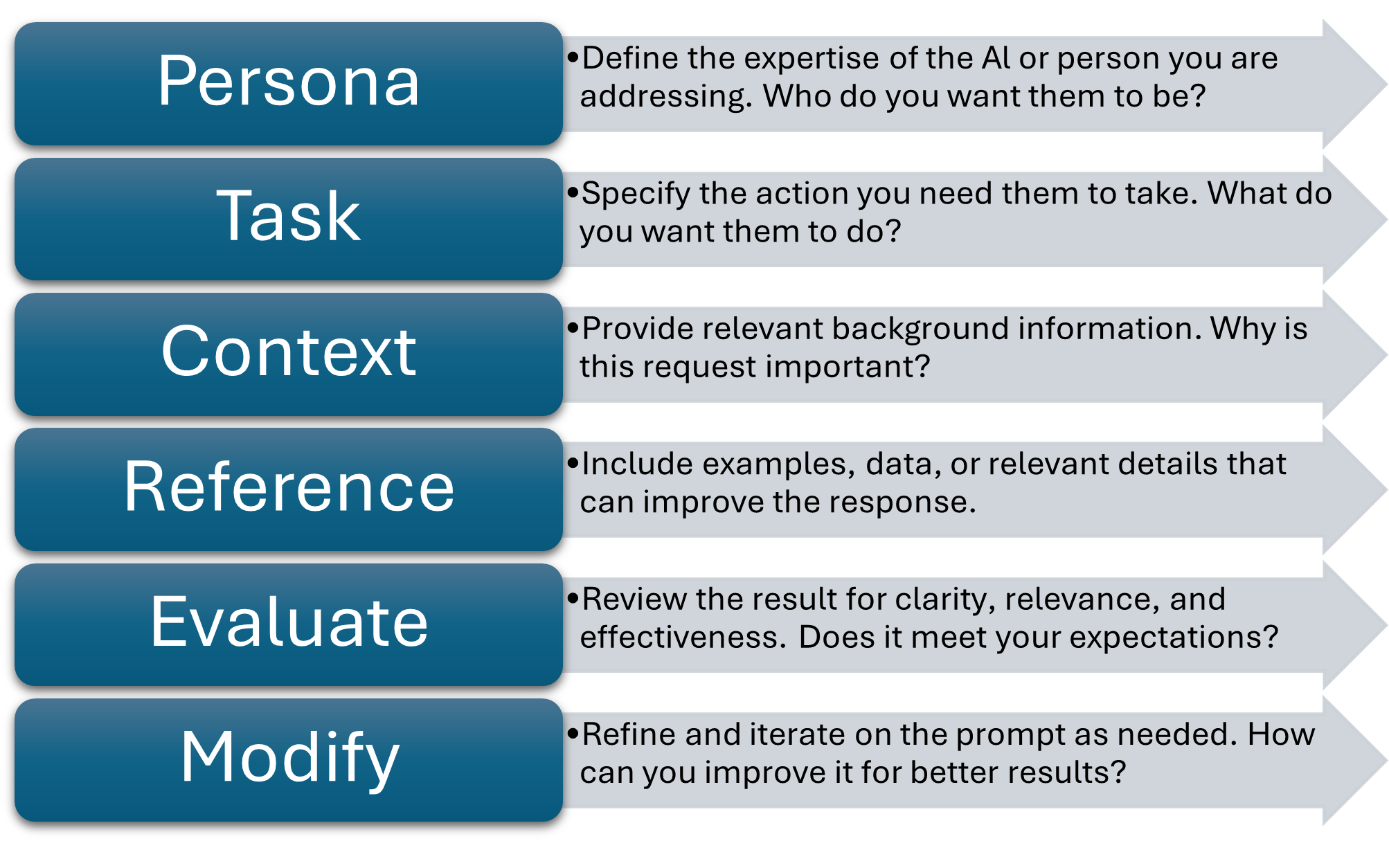
G6 Prompt Structure
Persona Create the expertise you want the GenAI to draw from. For example, a manager, a student, a scientist or an analyst.
Task The task you want the GenAI to help you with. For example, creating an e-mail, writing a summary, or analyzing data.
Context Include relevant details or background information and the reason for the task. This helps the model understand what you want.
Reference Provide examples and additional resources for the GenAI to follow. For example, when showing your hair stylist an image of the cut you want.
Evaluate Review the GenAI output to ensure it is correct.
Iterate If the output is not correct always be iterating. Continue to clarify what you need until it is right.
No‑Code AI Tools for Teachers
| Category | AI Tool | Description |
| Teaching & Lesson Planning Support | Magic School AI | Generates lesson plans, student feedback, differentiated materials, and teacher‑ready instructional resources. |
| Khanmigo (Khan Academy) | AI tutor and teaching assistant that supports personalized learning and gives teachers real‑time insights into student progress. | |
| Mindgrasp | Converts videos, lectures, PDFs, and other content into summaries, flashcards, and quizzes to support student study skills. | |
| Hands‑On AI Learning (No‑Code) | Google Teachable Machine | Allows students to train simple machine learning models (images, sounds, poses) without writing code. |
| Google AI Studio | Enables teachers and students to build custom AI agents using natural‑language instructions to define behavior and expertise. | |
| Data Analysis & Visualization | Google Looker Studio | Creates interactive dashboards that help students visualize patterns, trends, and insights from raw data. |
| Google Sheets | Essential for cleaning data, creating charts, and teaching concepts like “Garbage In, Garbage Out” (GIGO). | |
| Creative & Reference Tools | Google Gemini / ChatGPT | Supports brainstorming, storytelling, role‑playing, and concept exploration using structured prompts (e.g., G6 Prompt Structure). |
| Microsoft Copilot | Helps students generate images from text descriptions to visualize concepts in science, history, art, and more. |